From Your Files to Finished Work
Outsourcing your wedding photo editing and album design is simple. Create an account, upload your images and tell us how you like to work. We do the editing by hand, and you review everything before you pay.
- 1–3 working days
- Unlimited revisions
- Pay only if you like it
Five Simple Steps
- Create your account
- Place an order and upload
- We edit by hand
- Review and revise
- Approve, pay and download
Create Your Account
Sign up once, and everything lives in one control panel.
Fill in the short registration form. Our team reviews your details and sends a confirmation email once your account is active. Then save your style and preferences, so every order starts with what we already know about your work.
Good to know
- Creating an account is free
- Prices are shown on each service page
- Save your style under "My Preferences"
- Upload favorite samples to guide us
Place an Order and Upload Your Photos
Choose a service, add your notes and send your files.
Click "Place New Order", complete the order form, then click "Proceed to File Upload" and add your files. You can also send files through Dropbox. Lightroom Smart Preview catalogs are the quickest to send, because they're much smaller than full files.
Culling
- Lightroom Smart Preview catalog, RAW or JPEG files
- How many images you want to keep
- Any must-keep moments
Color Correction
- Lightroom Smart Preview catalog, RAW, DNG or JPEG files
- Your color preference
- Before and after samples, if you have them
Retouching
- The images to retouch
- Written instructions or annotations on each image
- To add people: their photo and a height reference photo
Album Design
- Your selected images, or more for us to choose from
- Your album company and size
- Your preferred style, or a sample album
We Edit Your Wedding Photos by Hand
Your dedicated editor works to your style, usually within 1–3 working days.
Every image is viewed and edited by a person, with no batching and no auto-edits. Your editor learns how you like to work, so your galleries and albums stay consistent from one order to the next.
Review and Revise
Check the work online and ask for as many changes as you need.
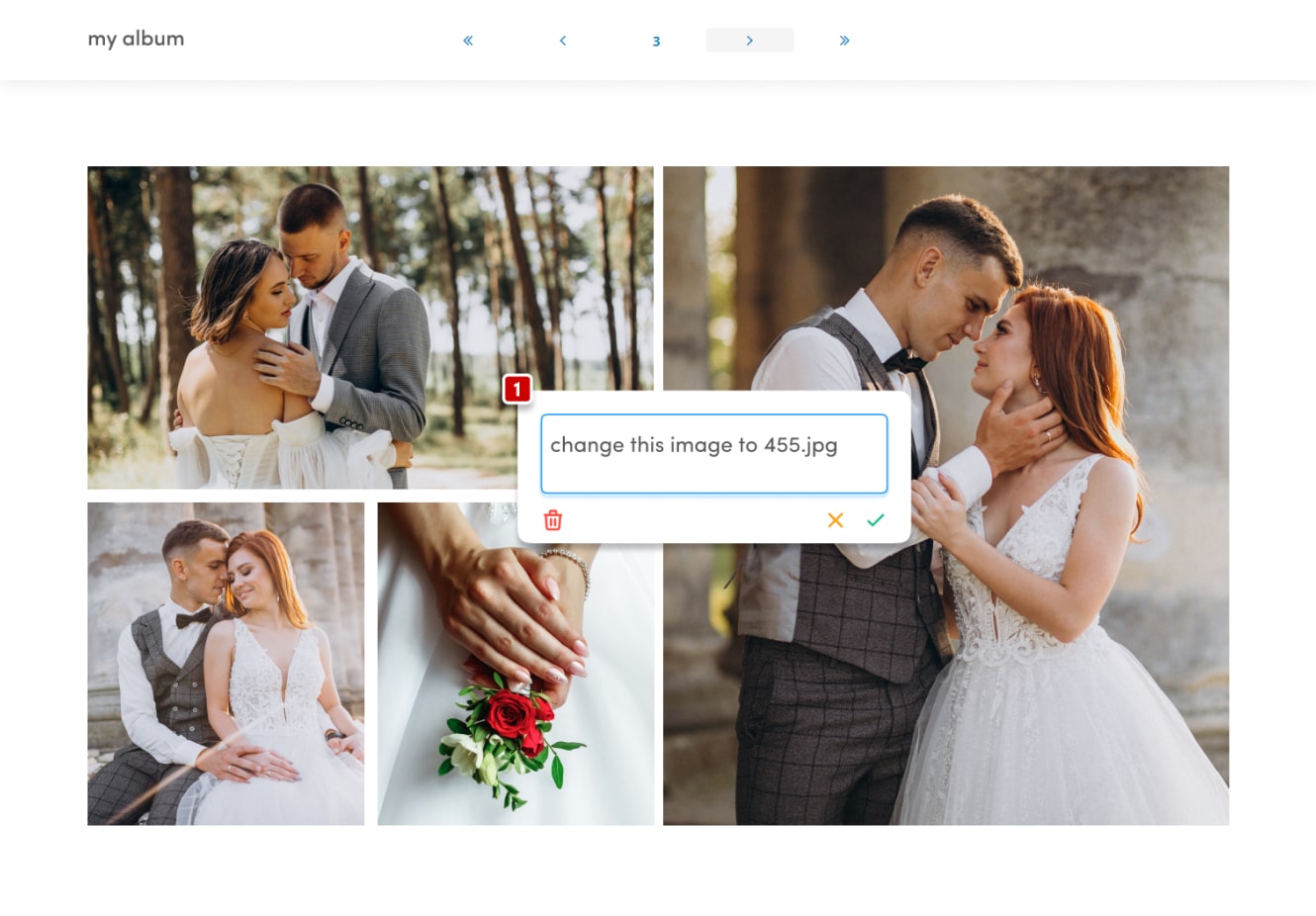
Albums come to you as a flip-book in AlbumProof, our online album proofing system. Forward the preview link to your client, and they can comment right on the spreads. It shows your logo, so your clients see your brand throughout.
If images are missing during a revision, we'll email you a link to upload them.
Approve, Pay and Download
When you're happy, approve the work and get your final files.
For albums, click "Album Approved, Ok for Production" on the preview page. Our quality team checks the design for alignment and quality issues, then emails you a link to download the high-resolution print files. Any pending payment is completed before the final files are sent.
How long does it take?
Our standard turnaround time is 1–3 working days.
How much does it cost?
Color correction is $0.10 per image and culling is $0.02 per image. Basic retouching (skin cleanup and small spots) starts from $1 per image, and album design is $2 per page. Prices for adding or removing people are shown after you sign up. Create a free account to place your order.
Can I try it before paying?
Yes. Send us 10–20 images and we'll edit or design a sample for you. If you don't love it, you don't pay.
How do I tell you my style?
Add your notes in the order form, or save your preferences and favorite samples under "My Preferences" in your account.
Will my clients know you worked on their images?
No. Our album proofing system is completely custom branded, and the preview link shows your logo.
What Photographers Say
Fantastic, perfect, amazing! Wish I would have found you sooner. Your design is exactly what I would have done.
Pikartz was wonderful to work with and saved me countless hours of work. The turnaround time was lightning fast and the process was very easy.
I had the pleasure of working with Pikartz on my client's wedding album design. From uploading to pre-approval the whole process was very smooth.
Risk-Free Trial: Try Before You Buy, No Strings Attached
Send us 10–20 images and we'll edit or design a sample for you. If you don't love it, you don't pay.
Start Free Trial