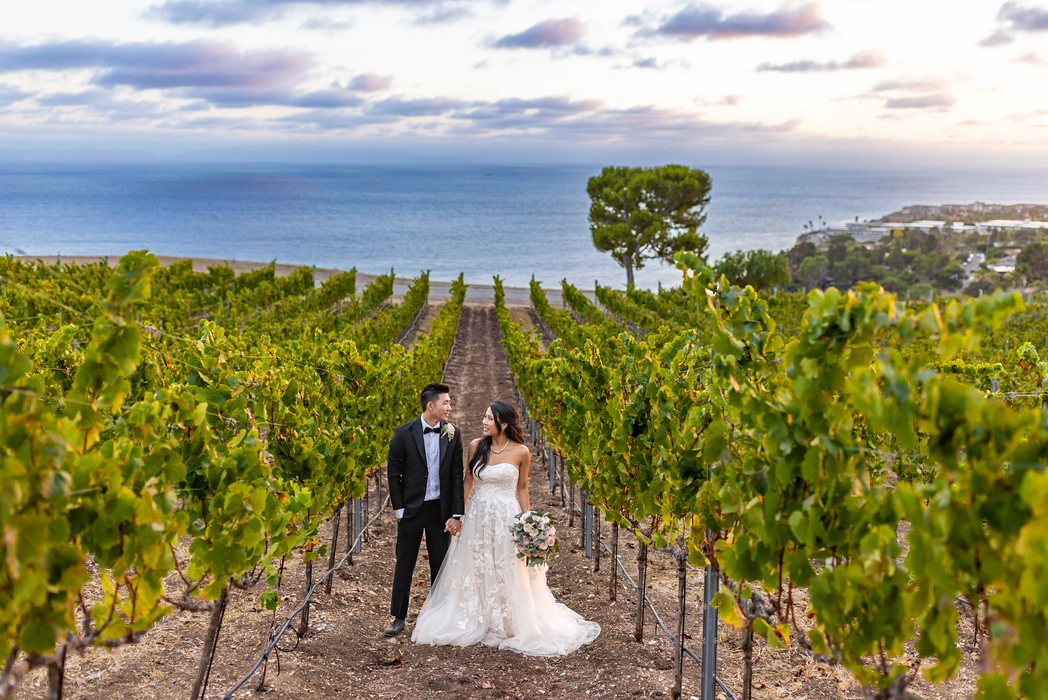
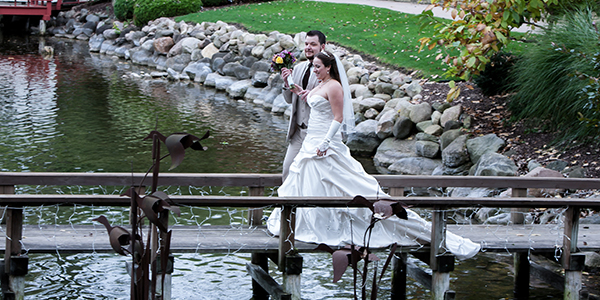
Remove a Person From a Photo
A guest walked into the shot, or another photographer leaned into the frame. Our retouchers remove them by hand and rebuild what was behind them, so the photo is ready to deliver.
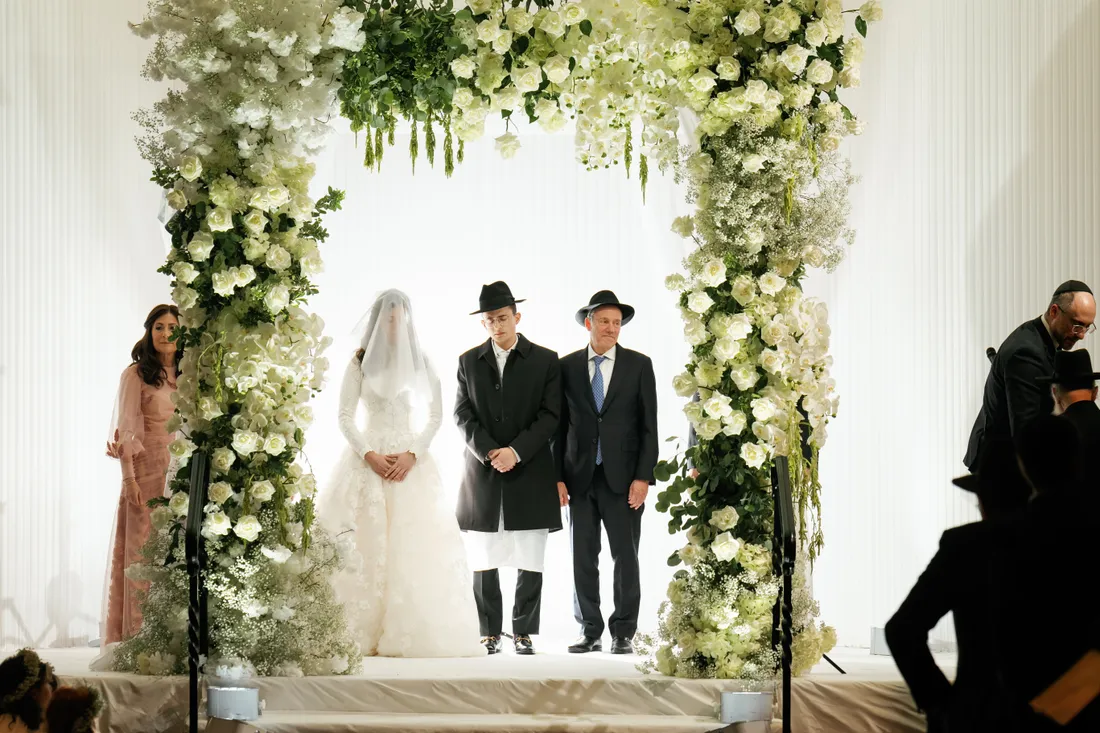
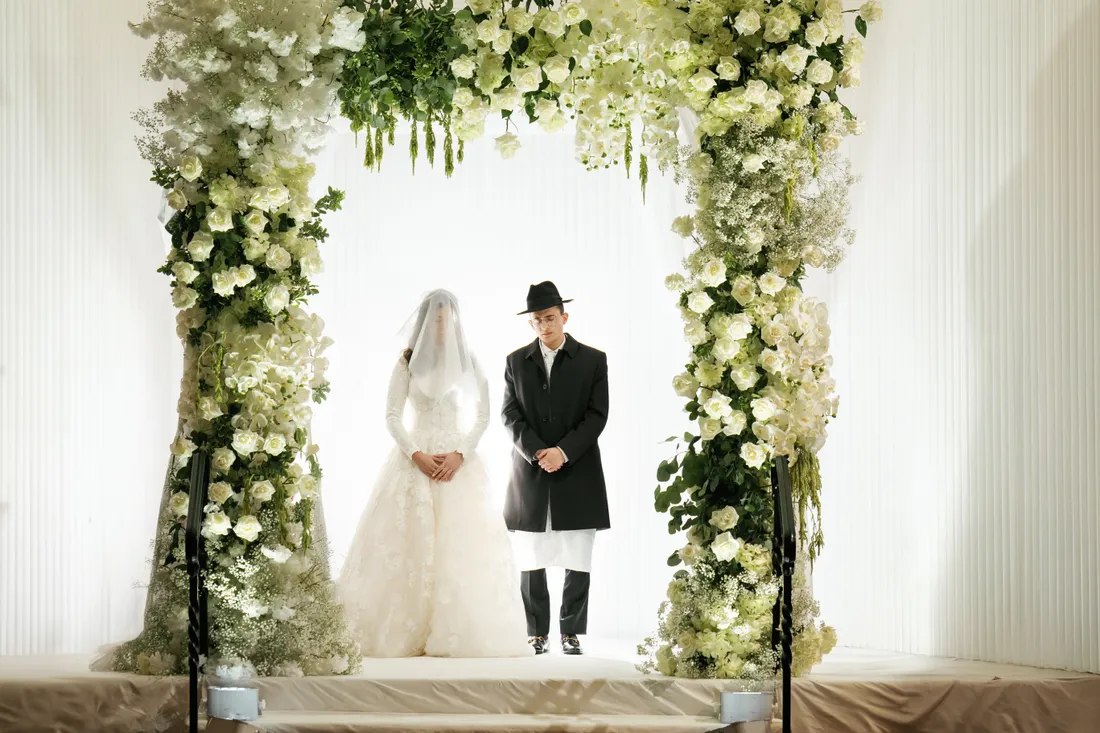 Guests in the foreground and beside the couple removed
BeforeAfter
Guests in the foreground and beside the couple removed
BeforeAfter

 Officiant, guest and table removed
BeforeAfter
Officiant, guest and table removed
BeforeAfter
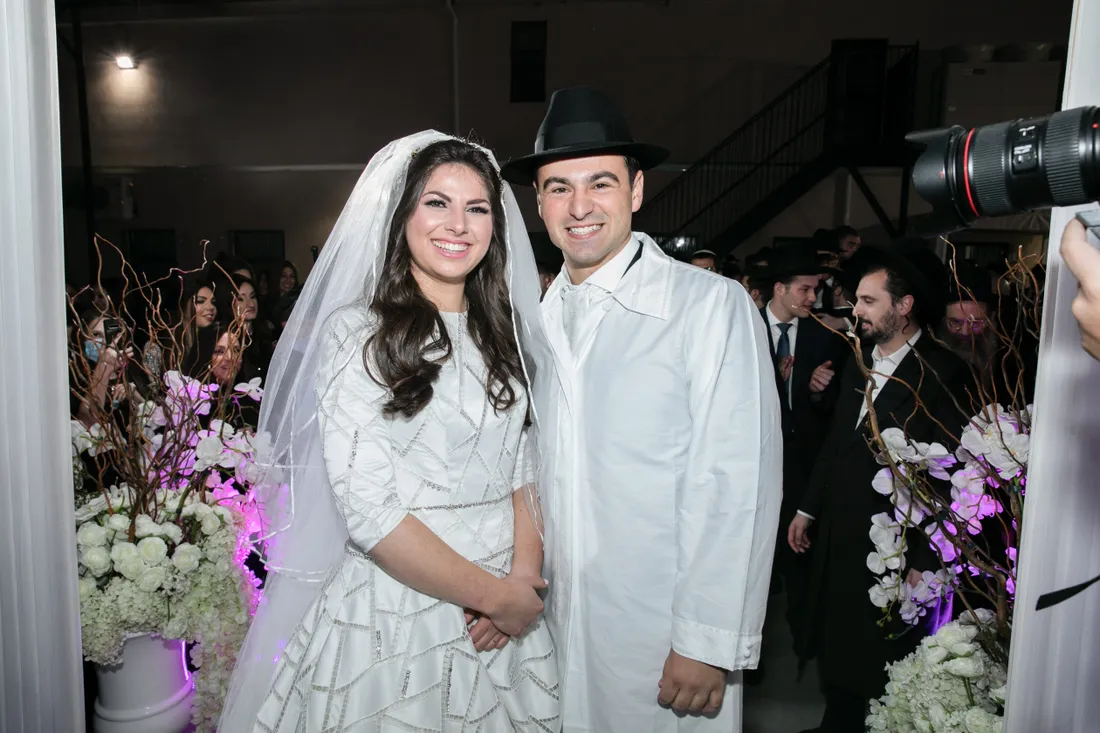
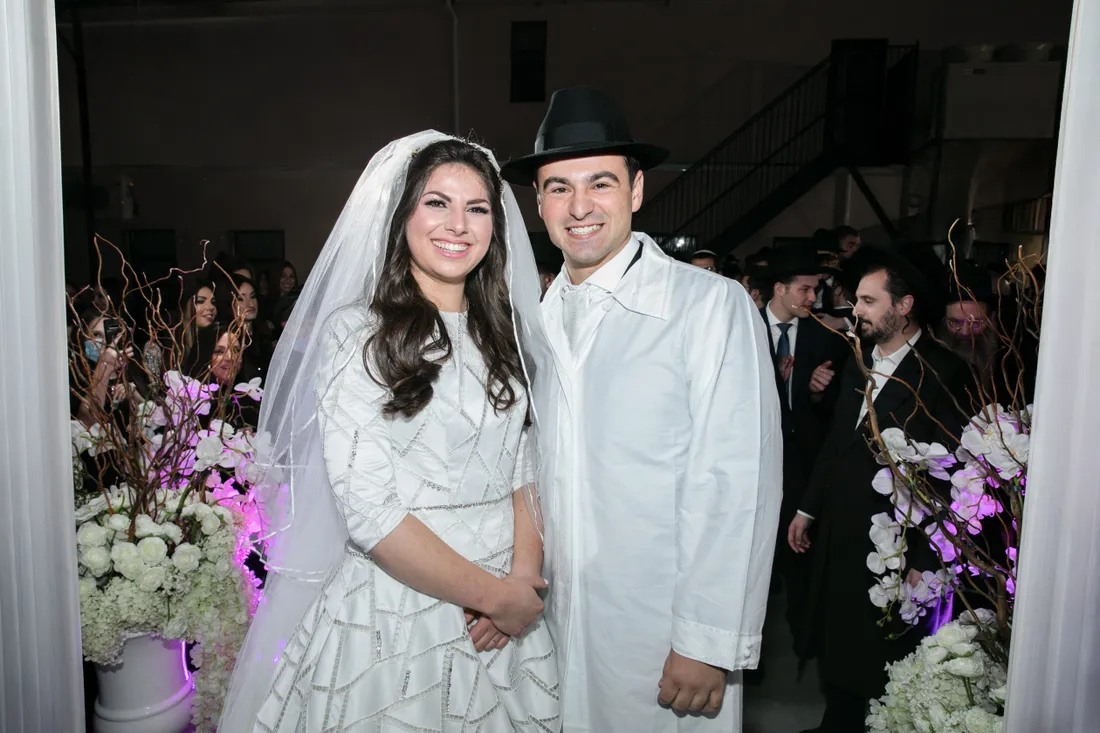 Photographer's camera and hand removed
BeforeAfter
Photographer's camera and hand removed
BeforeAfter

 Guest, grill and background clutter removed
BeforeAfter
Guest, grill and background clutter removed
BeforeAfter
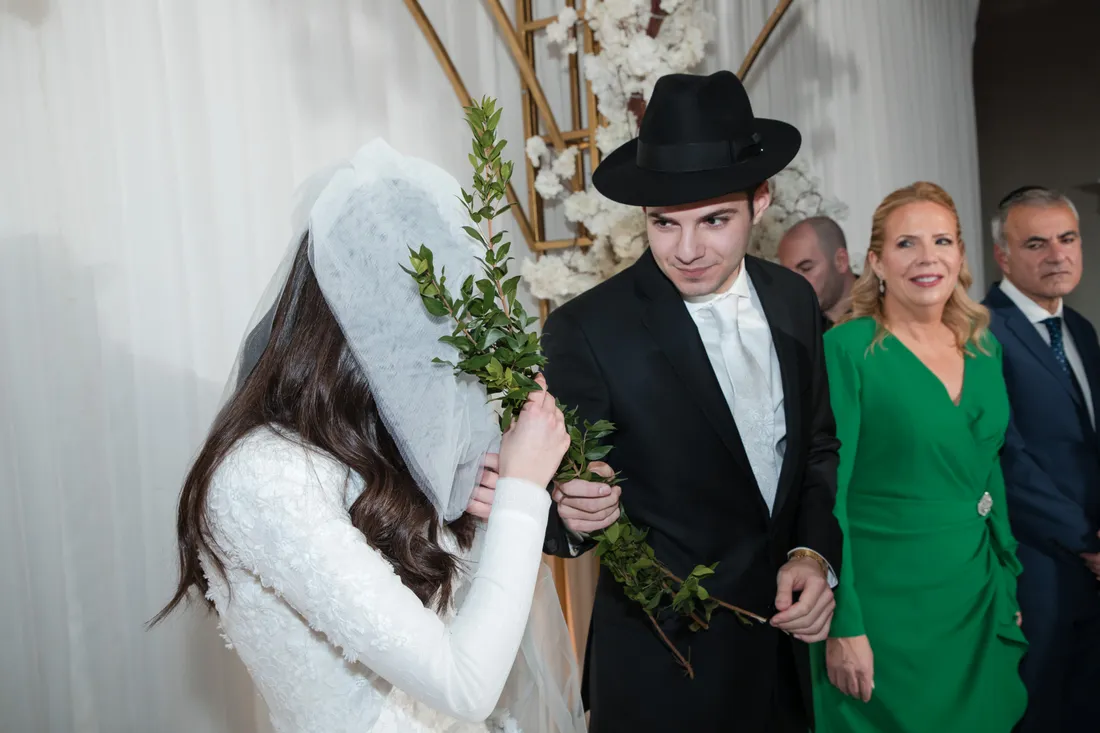
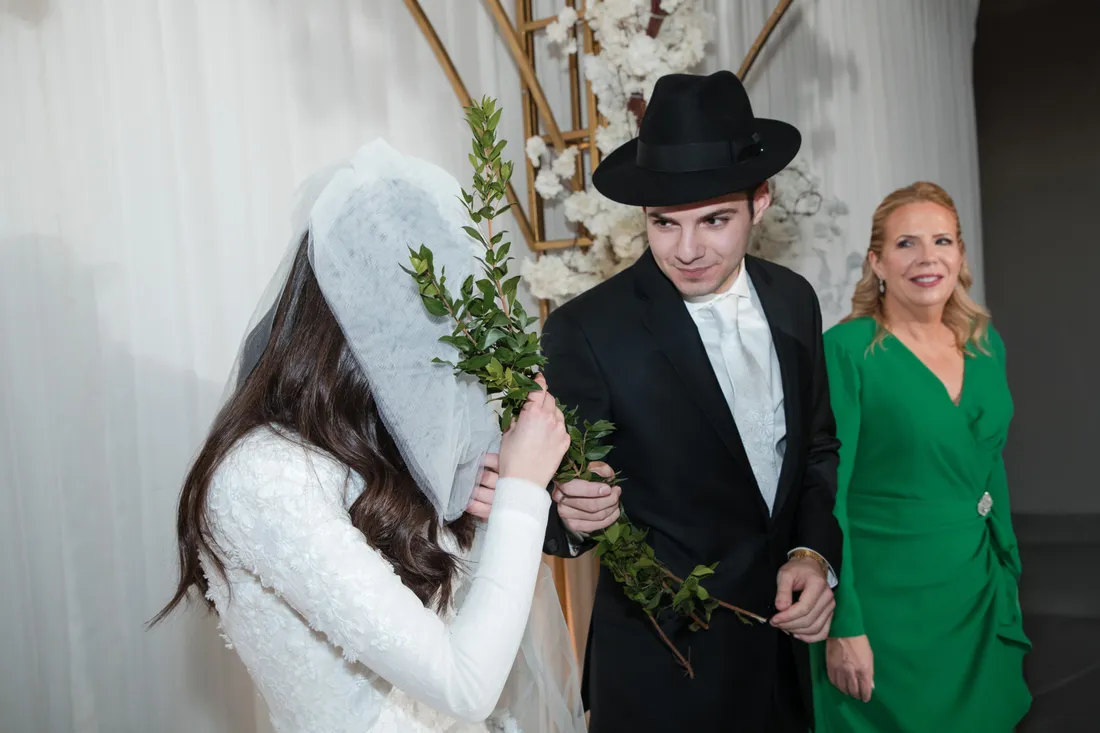 Two men in the background removed
BeforeAfter
Two men in the background removed
BeforeAfter

 Signs, poles and passers-by removed
BeforeAfter
Signs, poles and passers-by removed
BeforeAfter
Removing People From Wedding Photos
Removing someone is the easy part. Rebuilding what they were hiding takes the skill.
Your retoucher works by hand in Photoshop, recreating the background, the floor and any part of the subject that was covered. Tell us exactly who and what to remove, in writing or by marking the image in our ordering system.
Common Requests
- Guests who walked into a formal portrait
- Photographers and videographers in the ceremony shot
- Officiants or helpers beside the couple
- Passers-by in outdoor and street portraits
- Signs, poles, wires and other clutter
What We Need From You
For the best result, send:
- The largest file you have
- Who or what to remove
- Other frames of the same scene
- Your retouching notes
How We Remove a Person From a Photo
- Send your photo and notesUpload the image and tell us who or what to remove, in writing or by marking it in our ordering system.
- We remove them by handYour retoucher takes out the person, along with their shadow and any reflection they leave behind.
- We rebuild what was behind themBackgrounds, floors, flowers and any covered part of a dress or arm are recreated to match the rest of the photo.
- You review the resultCheck the photo and ask for changes until it looks right.
What Makes a Removal Easier
Most people can be removed from a wedding photo, but some shots take more work than others. These details help us get the most natural result:
- Send other frames of the same scene, which can show what was hidden
- Send the largest file you have, not a small preview
- Say what should stay, as well as what should go
- Mention anyone who overlaps the couple or the group
- Tell us if the photo will be printed large, so we can work to that size
Can you remove someone standing in front of the couple?
Often, yes. Other frames from the same scene help us rebuild what was hidden, so send those if you have them.
How much does it cost?
Removing people is priced separately from basic retouching. Create a free account to see the price.
How long does it take?
Most retouching orders are delivered in 1–3 working days. Complex work may take a little longer, and we'll tell you before we start.
How do I show you who to remove?
Submit written instructions for each image, or mark annotations directly on the image in our ordering system.
Can you also add someone to the photo?
Yes. See adding a person to a photo.
Risk-Free Trial: Try Before You Buy, No Strings Attached
Send us 10–20 images and we'll edit or design a sample for you. If you don't love it, you don't pay.
Start Free Trial